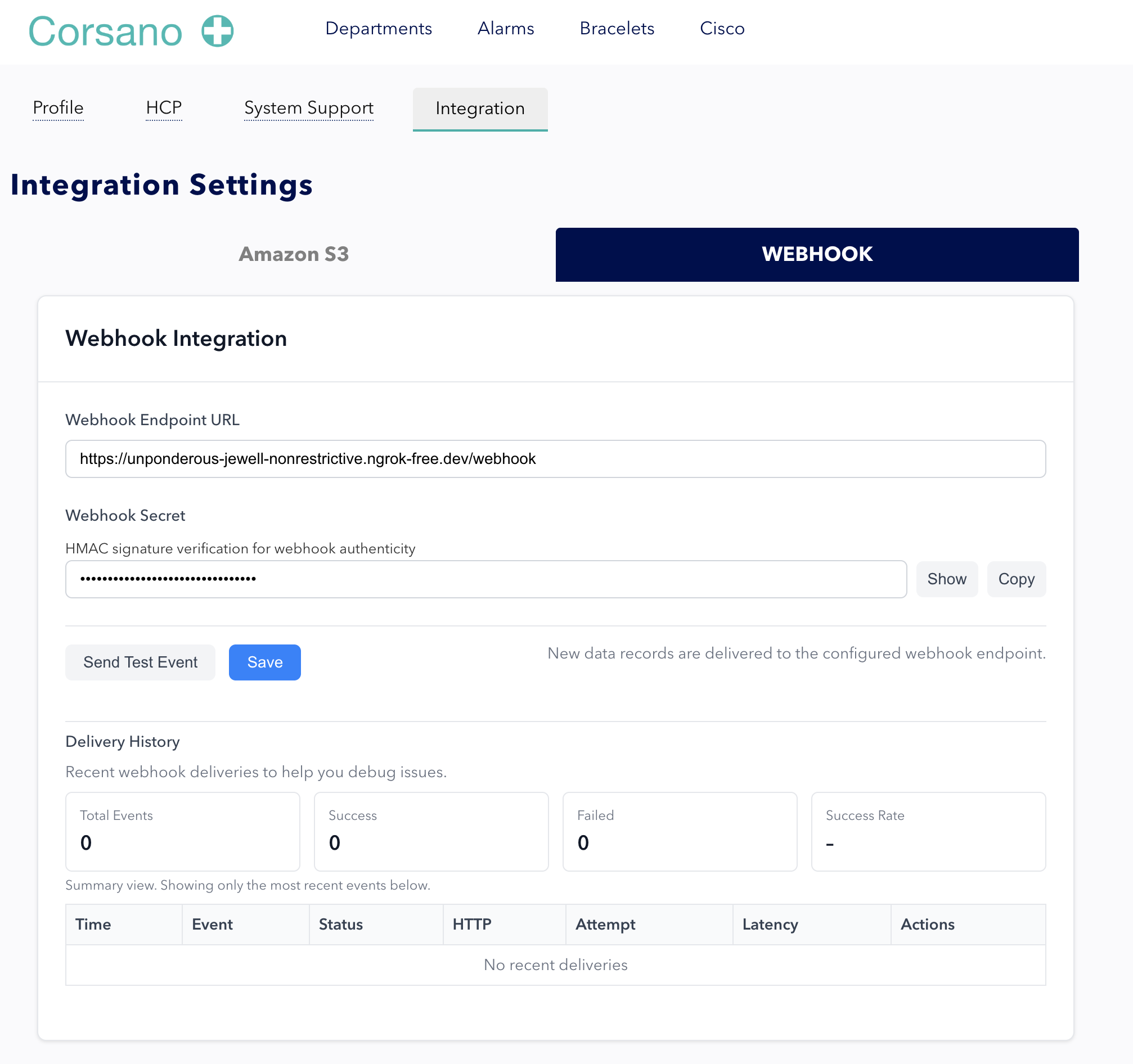
Webhook Integration
Corsano webhooks push patient measurements to your system as soon as data arrives. This approach is ideal for real-time workflows where your applications need to react immediately to new vitals.
When to use webhooks
Use webhooks for:
- Real-time data streaming as measurements are recorded
- Live patient monitoring dashboards (e.g., nursing stations)
- Immediate EHR updates when new vitals are received
- Custom alerting logic triggered by incoming data
- Event-driven architectures that process data on arrival
Technical characteristics
| Attribute | Details |
|---|---|
| Communication model | Push-based (Corsano sends data to your endpoint) |
| Authentication | Signature verification via shared secret |
| Data update period | 1 minute |
| Data freshness | Near real-time (forwarded as data arrives at Corsano) |
| Data types | Measurement data (heart rate, SpO2, respiration rate, blood pressure, temperature, etc.) |
| Infrastructure needs | Public HTTPS endpoint with firewall rules permitting Corsano IPs |
For the HL7 FHIR R5 and HL7 v2 webhook payload formats, refer to HL7 Webhook.
Typical workflow
- Register your webhook endpoint URL in the Corsano Research Portal
- Configure which data types should be forwarded to your endpoint
- Implement an endpoint that validates signatures and processes incoming data
- Process data in your system (update dashboards, trigger alert logic, store in EHR)
Recommendation
Webhooks are the primary integration method for most deployments because they provide the fastest data delivery and support real-time monitoring. For comprehensive deployments, pair webhooks with REST API access for on-demand historical queries and S3 sync for archival and data lake use cases.
Getting started
To begin integration, contact the Corsano developer support team:
- Email: devsupport@corsano.com
- Developer Portal: developer.corsano.com
Configuration screenshot