S3-Compatible Storage Integration
Last updated: 22 September 2026
Corsano S3 integration automatically synchronizes patient data to your S3-compatible object storage (AWS S3, Scaleway, OVHcloud, or similar). This is the best option for automated, comprehensive data capture with minimal custom code.
When to use S3 sync
Use S3 sync for:
- Building a comprehensive data lake for analytics and machine learning
- Research datasets requiring complete raw sensor data (PPG, ECG, accelerometer)
- Long-term data archival and retention compliance
- Populating data warehouses (Redshift, Snowflake, Databricks)
- Clinical trial data management with complete datasets
- Eliminating custom integration code with automated delivery
Technical characteristics
| Attribute | Details |
|---|---|
| Communication model | Automated push to your S3 bucket (no code required) |
| Authentication | IAM role with cross-account access or access keys |
| Data update period | Every hour |
| Data freshness | Periodic sync (configurable intervals) |
| Data types available | workout, ppg3, bioz, ppg1, emography, ecg, sleep, acc, activity_temp, temperature, ppg2, activity, corsano_sleep, blood_pressure_sensor, rr_interval, heart_rate_variability, rr_interval_temp, non_invasive_blood_pressure_spot, heat_flux_sensor_temperature (see the Data Dictionary) |
| File formats | Avro (.avro) and CSV (.csv) |
| Infrastructure needs | Any S3-compatible object storage (AWS S3, Scaleway, OVHcloud, etc.) |
Typical workflow
- Create a bucket in your S3-compatible storage with appropriate encryption settings
- Use a dedicated bucket and dedicated access key/secret for this integration
- Configure access credentials (IAM role, access keys, or storage-specific auth)
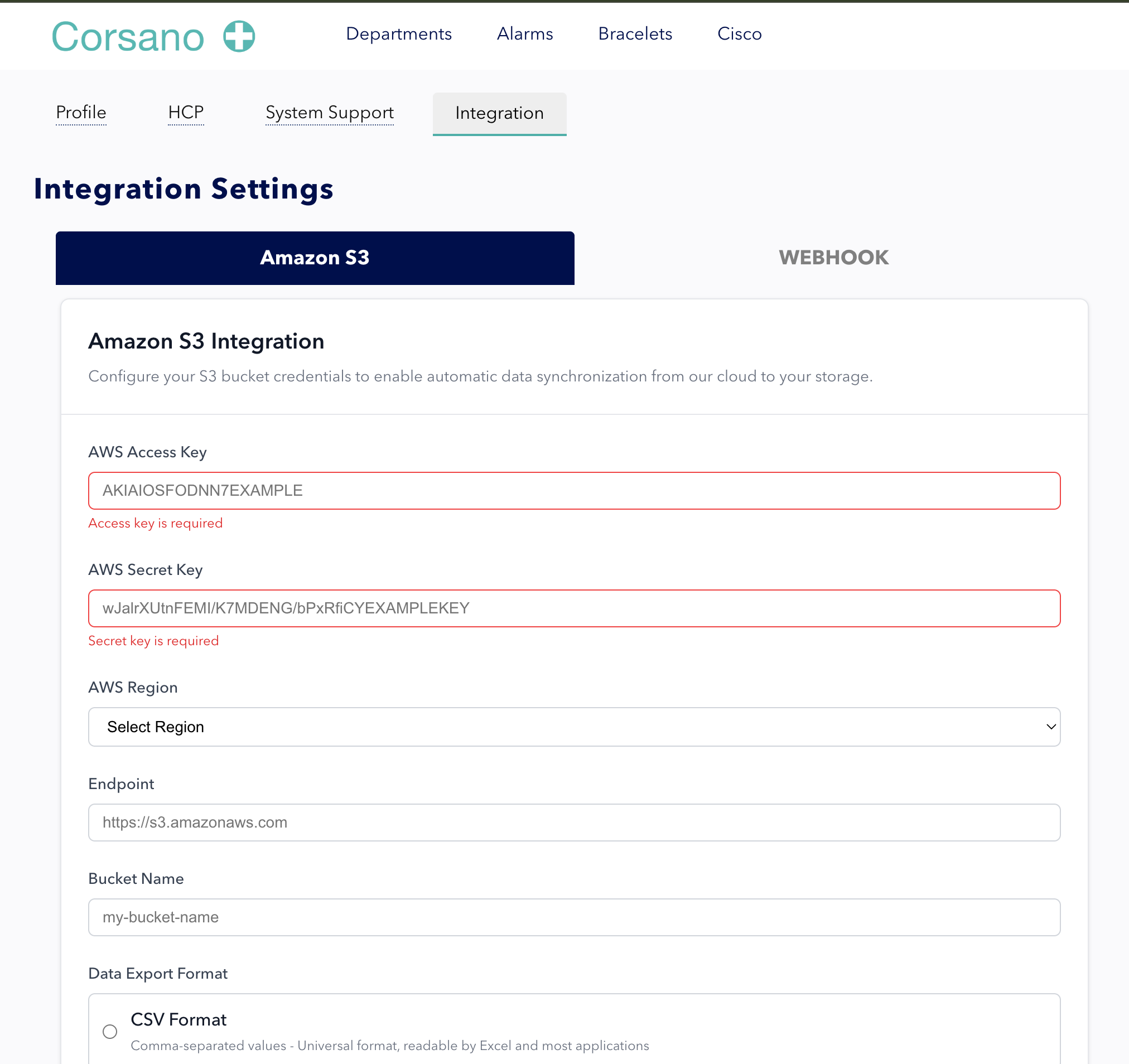
- Provide bucket endpoint, name, and credentials to Corsano via the Research Portal
- Data automatically flows to your bucket in Avro or CSV format
Key advantages
- Zero maintenance: no code to write or maintain
- Complete datasets including high-frequency raw sensor data
- Storage flexibility across S3-compatible providers
- Analytics-ready formats for big data workflows
How it fits in a deployment
S3 sync is ideal as an automated hourly archive and data lake feed. For real-time use cases, pair S3 with webhooks, and use the REST API for on-demand historical queries.
Getting started
To begin integration, contact the Corsano developer support team:
- Email: devsupport@corsano.com
Configuration screenshot
Document history
Approver: Ali Marjovi
| Version | Date | Changes |
|---|---|---|
| 1 | 29 December 2025 | Initial release |
| 2 | 22 September 2026 | Specified data types available |